
Updated on June 2, 2013
Ubuntu Linux is arguably the most popular Linux distribution today. Well designed and easy-to-use as a desktop, it is also an excellent choice for any kind of server infrastructure in datacenters. In fact, according to W3Tech, Ubuntu server is right now in the second position and growing fast as a webserver.
In a previous article I looked at installing a basic network router using RCP100 on a Ubuntu 12.04 computer. Today, I will take a look at using Ubuntu for some more serious SNMP work.
The main SNMP software package available under Linux is net-snmp. Installation and usage is described in plenty of articles on Internet. The package is very powerful, however it operates strictly on the command line. In the day-to-day work, a GUI based SNMP MIB Browser would be nice.
One such MIB Browser I’ve started using recently is qtmib. It is an open-source (GPL v2 license) program, that allows you to connect to any SNMP-enabled device and browse the MIBs. The graphical user interface is build using QT4 library. The program comes with a large number of MIBs pre-installed, anything from Cisco’s and Juniper’s to HP’s and Dell’s. You can also install your own MIBs by copying them into ~/.config/qtmib/mibs directory.
Build as a front end for net-snmp tools, qtmib requires net-snmp package to be installed:
$ sudo apt-get install snmp
For Ubuntu users, the development team makes available a deb package for AMD64 architecture. Install it as:
$ sudo dpkg -i qmib_X.Y.Z_1_amd64.ubuntu.deb
If you are using another Linux distribution, the source code is located here. It uses a classic ./configure && make && sudo make install command sequence.
You can start the program from the command line as qtmib or from your desktop environment menus. Once started, go into File/Preferences and configure the IP address and community string. Retrieve the data from your device, and click Translate to translate the OIDs in the result window.
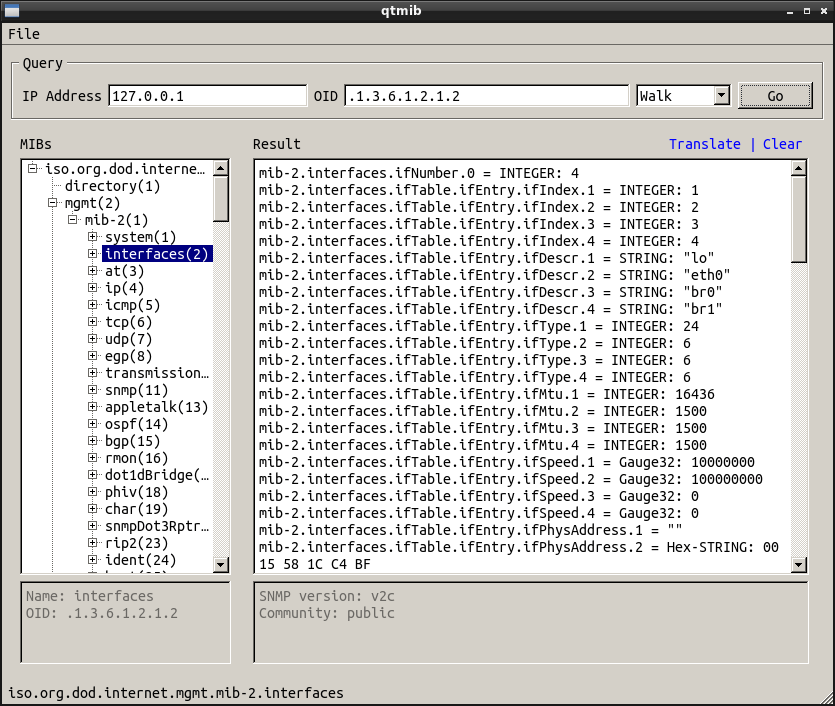
qtmib MIB Browser
qtmib is still under development. It is stable and well integrated with your desktop environment. As far as I know, this is the only open-source graphical MIB browser available today.
Related Posts
 l3net - a layer 3 networking blog